From setup to the table, everything your menu needs

MenuPin is more than a QR code: it builds your menu, shows it clearly to your guests and makes keeping it current an everyday task.

From a photo to a menu

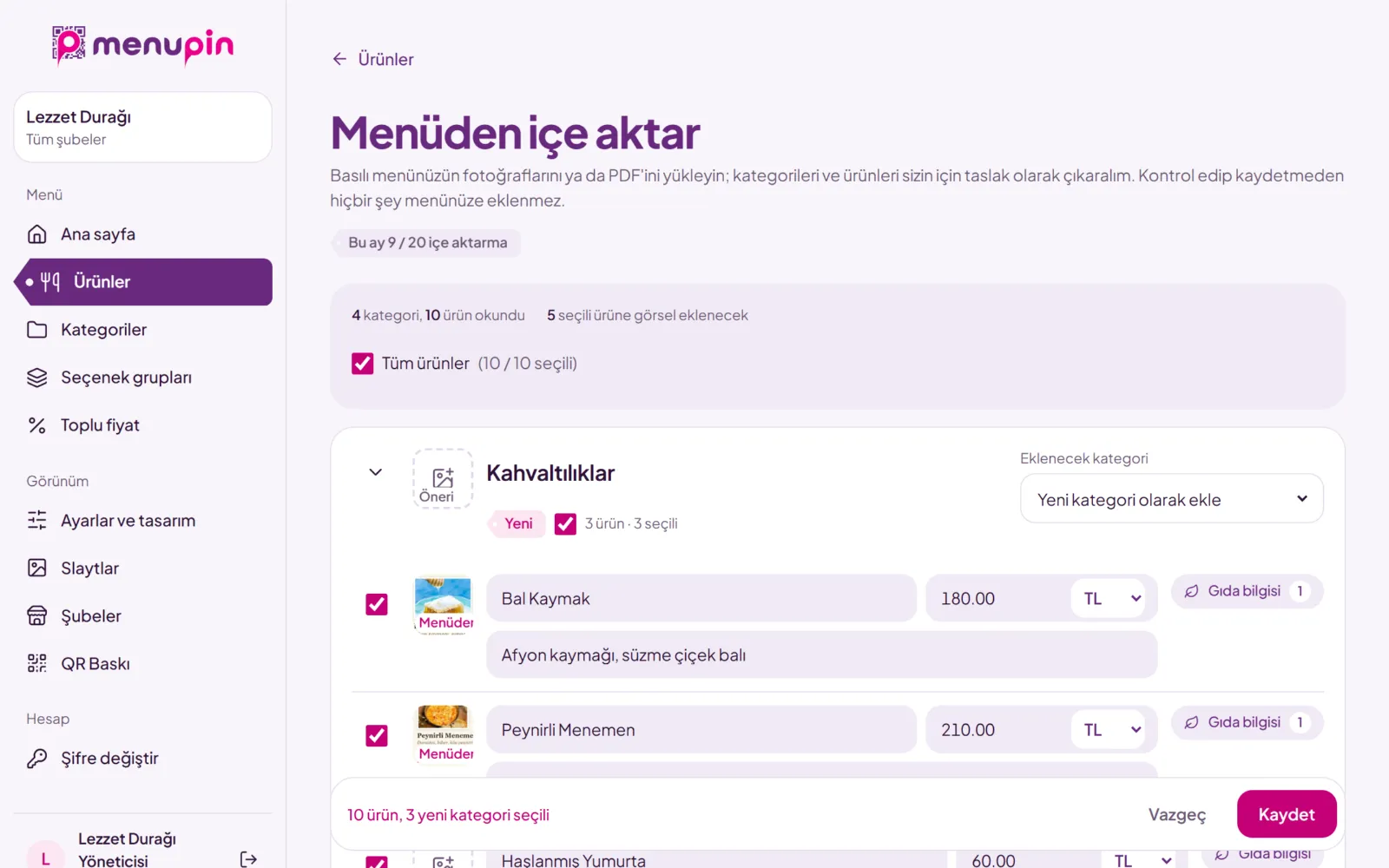
Upload your printed menu and let AI read it. All you do is check it.

Photos or a PDF
Up to ten photos or a ten-page PDF, read together as one menu.
Categories, products, prices
Headings become categories. Sizes like “Small / Large” become separate products. A price that can’t be read is left empty and flagged.
Images come too
Dish photos on your menu are cut out and added to their products. Otherwise a matching image from our gallery is suggested.
You stay in control
Nothing is saved until you approve. Pick products, fix them, place them in categories.
The review screen with the categories and products read from a menu

Menu content

From a plain price list to a detailed product catalogue.

Categories and subcategories
Drag to reorder, hide with one tap.
Product images
Upload your own photos or pick from a ready-made gallery.
Option groups
“Crust: Thin / Thick”, “Extra cheese +20 TL”, “No onions”. Define them once, add them to products.
Variations
Margherita and Mixed under Pizza, each with its own price.
Labels
New, Chef’s choice, Spicy, Vegan, Vegetarian, Sold out.
Food information
Ingredients, the 14 legal allergen groups, portion, calories, “contains alcohol” and “contains pork”.
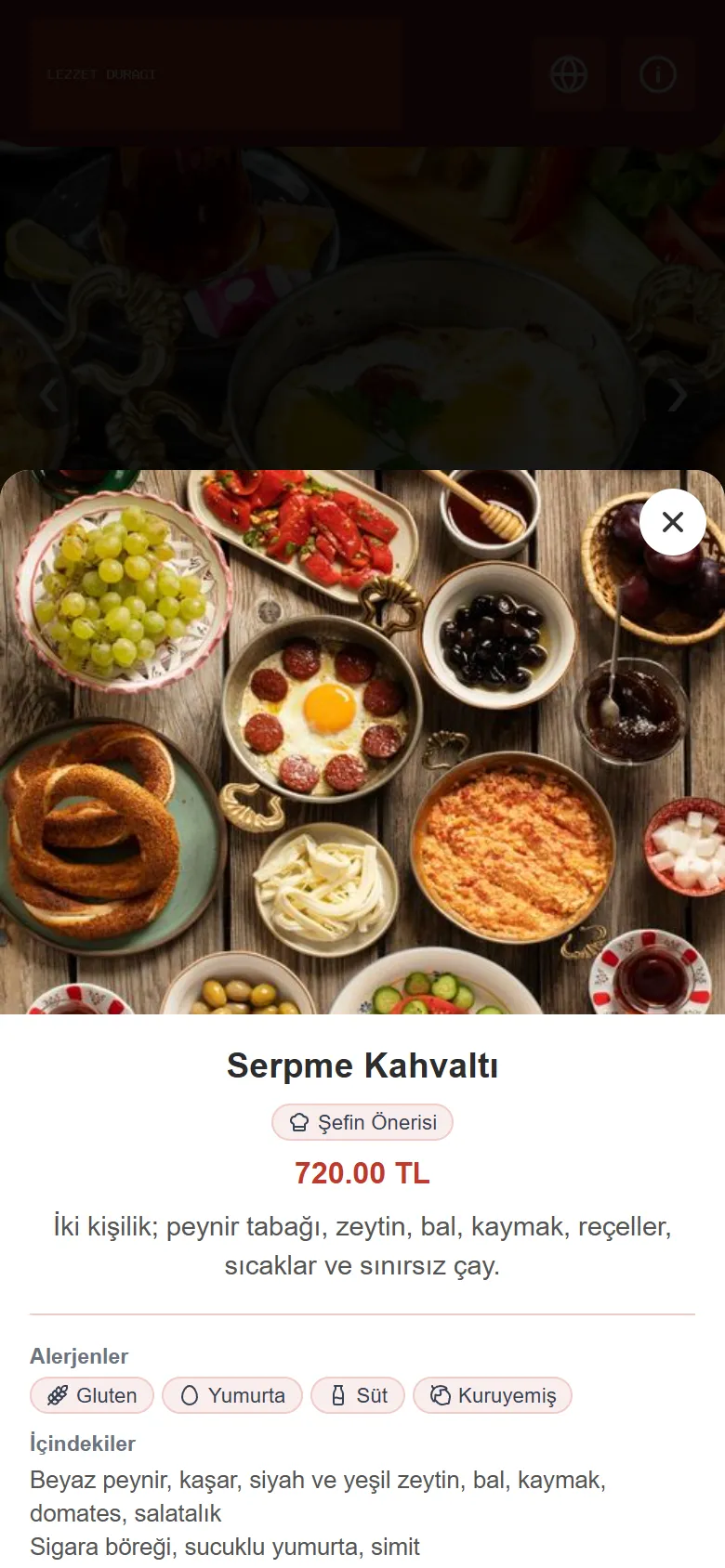
A product window with options and allergen information

Look

A menu that looks like your place.

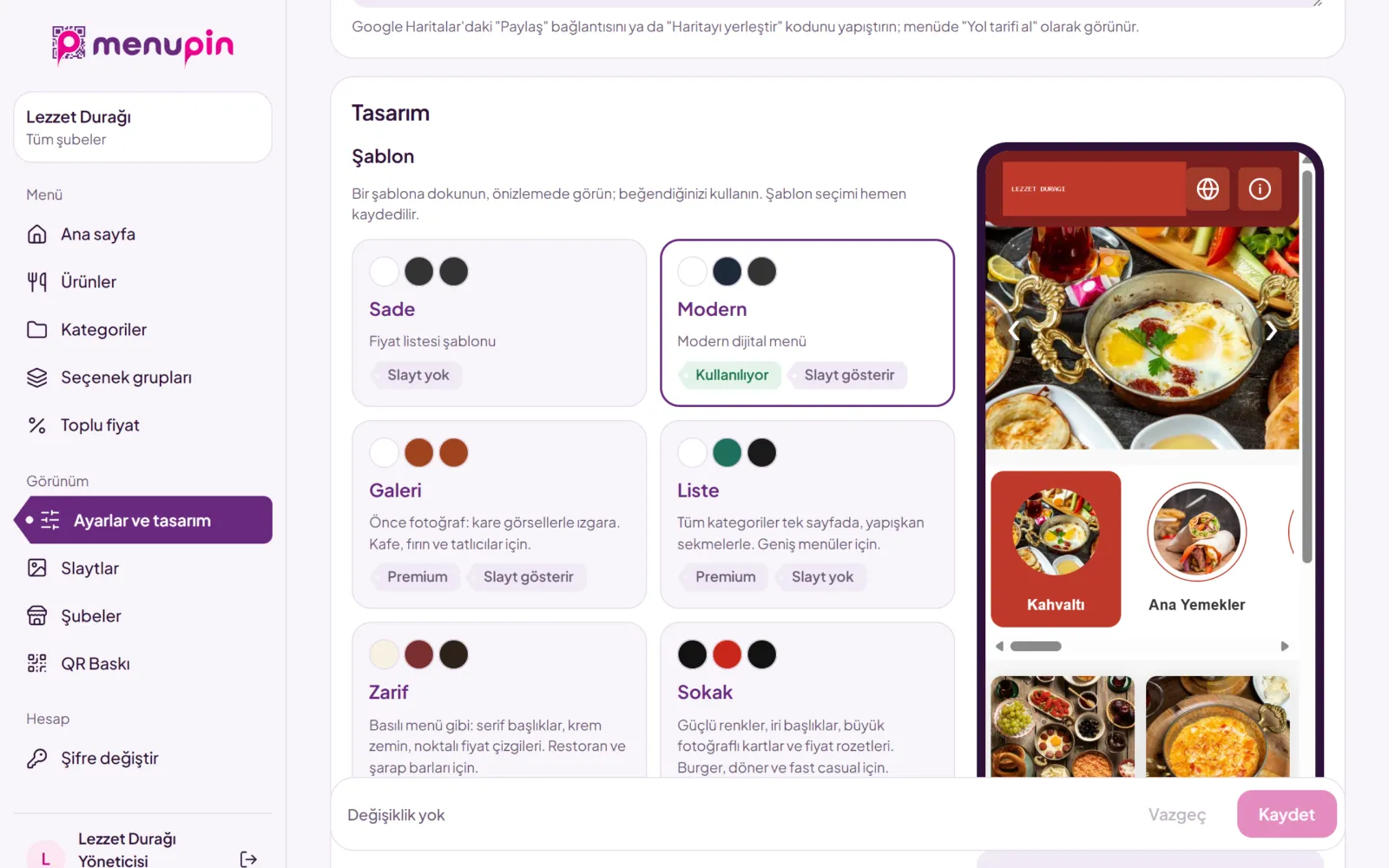
Six templates
Modern, Simple, Gallery, List, Elegant and Street. Preview them with your own menu, then choose.
Logo and colours
Upload your logo and choose the colours of the top bar and the prices.
Slides
Announce your offers with images at the top of the menu.
Contact window
Address and directions, phone, WhatsApp, opening hours, social media and a Google review link.
The six menu templates

At the table

Your QR code comes ready to print.

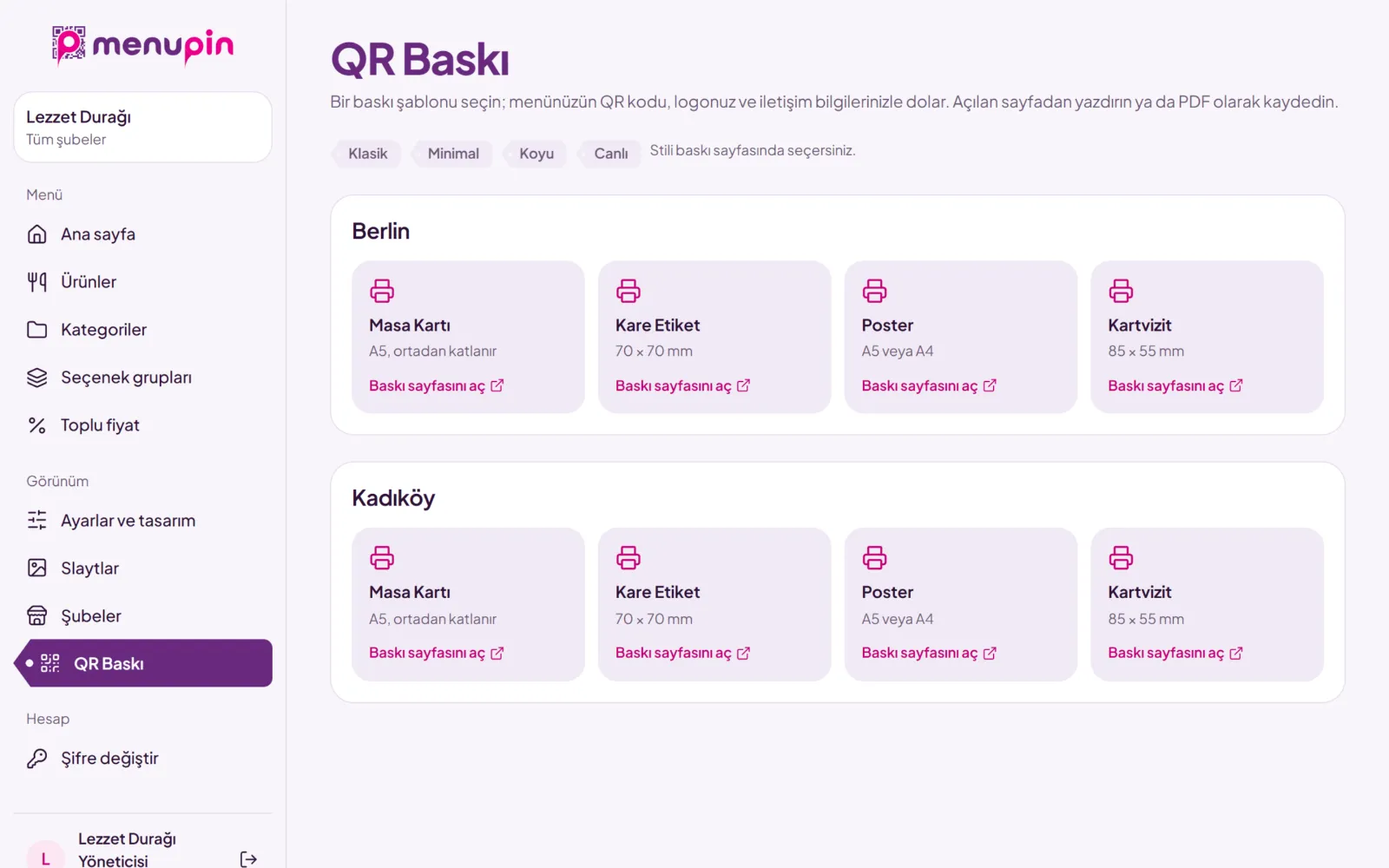
Four print layouts
Table card, square sticker, poster and business card.
Four styles
Classic, Minimal, Dark and Vivid. With your logo and colours.
At home or at a print shop
Copies laid out on an A4 sheet, or exact size for a print shop.
Wi-Fi on the table card
The network name and password are added to the print.
QR print layouts: table card, sticker, poster, business card

For your business

From one café to a chain.

Branches
Each branch has its own menu address, logo, contact details and prices.
Branch managers
A branch manager sees and edits only their own branch.
Bulk pricing
Edit the prices of every product and branch in one table.
Views
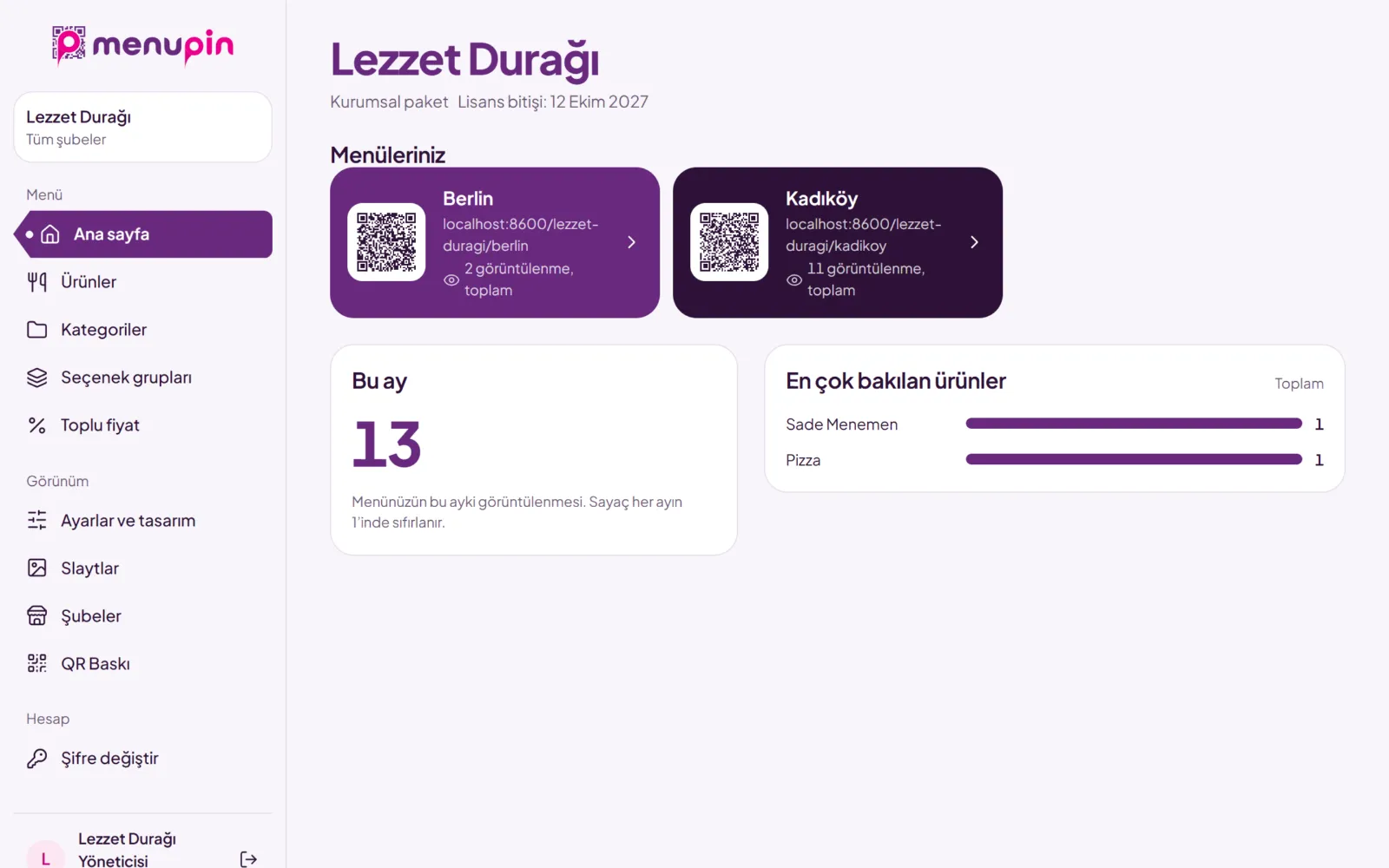
See how often your menu is opened and which products get the most looks.
Run it from your phone
The panel opens like an app on your phone.
Two-step sign-in
Protect your panel with a code sent to your email at sign-in.
The panel home: menu cards and view counts

Reach more guests

For tourists and new customers.

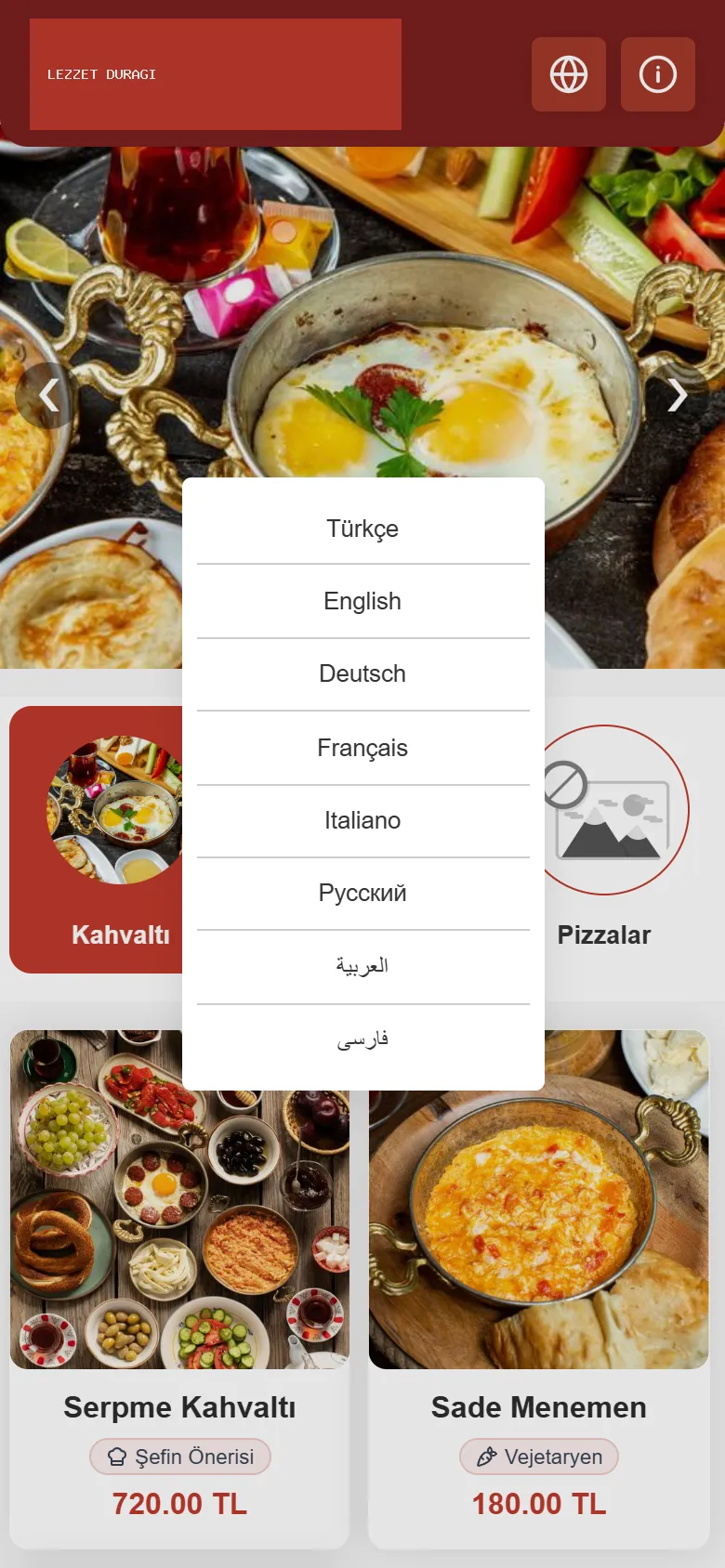
Multiple languages
Guests choose their language at the top of the menu, and it is translated automatically.
Your own domain
Your menu opens at an address of your own, like menu.yourplace.com.
Language choice on the menu

Which feature is in which plan? Compare them on the pricing page.

Compare plans

Put your menu online today.

Open your account and upload a photo of your menu. If you get stuck, write to us.